Lab 2 Instructions
Lab 2 Instructions
In Lab 2, we'll be doing the following:
- Quick review of OOP principles
- Android Basics (Lab 2 Android Basics PDF under Lab 2)
- Displaying a list of items using Jetpack Compose 'LazyColumn' (Lab 2 Demo Example - Instructions PDF under Lab 2)
- Lab Exercise - adding and removing items from the city list (see the Lab 2 Participation Exercise below for more details.)
Lab 2 Participation Exercise
Task: Modify/expand ListyCity to allow for the addition of new cities as well as the deletion of existing ones from the city list. The specifics of the design of this functionality are up to you.
If you could not attend the labs or do not have the code for ListyCity, follow the instructions in Lab 2 Example - Instructions.
Include a README.md in your GitHub repository with Student Details, References and Resources, and Verbal Collaboration sections. You may use the README.md from the previous lab. Ensure all information is updated.
Hints:
-
You may want to use the
onClickcallbacks of Compose components such asButton, as demonstrated in the lab. -
Consider how the city list is stored and modified. The
CityRepositoryfrom the lab provides controlled functions for modifying the Compose city list. -
Ideally, you should consider treating cities as objects, however, in this exercise it may not be necessary.
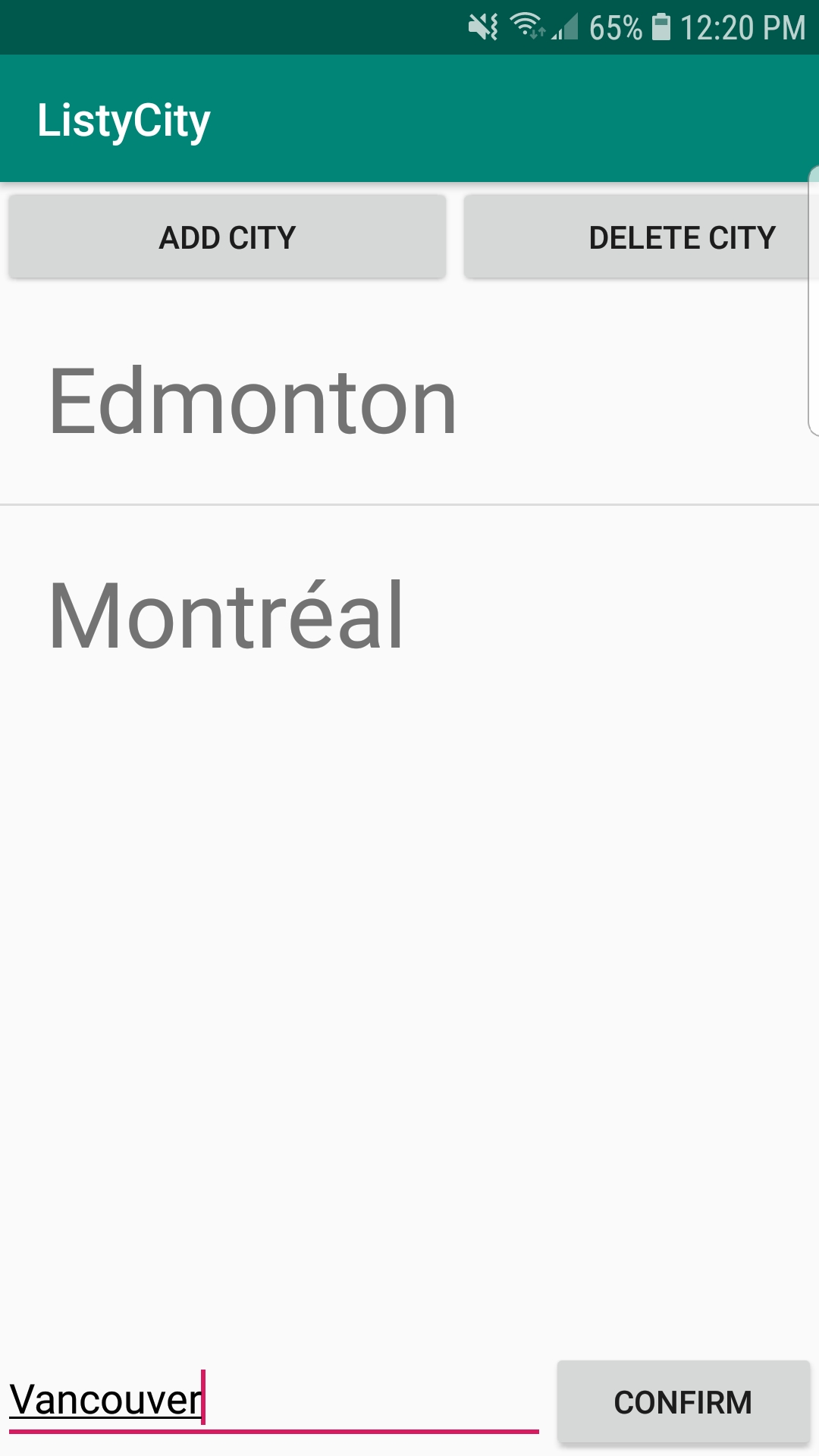
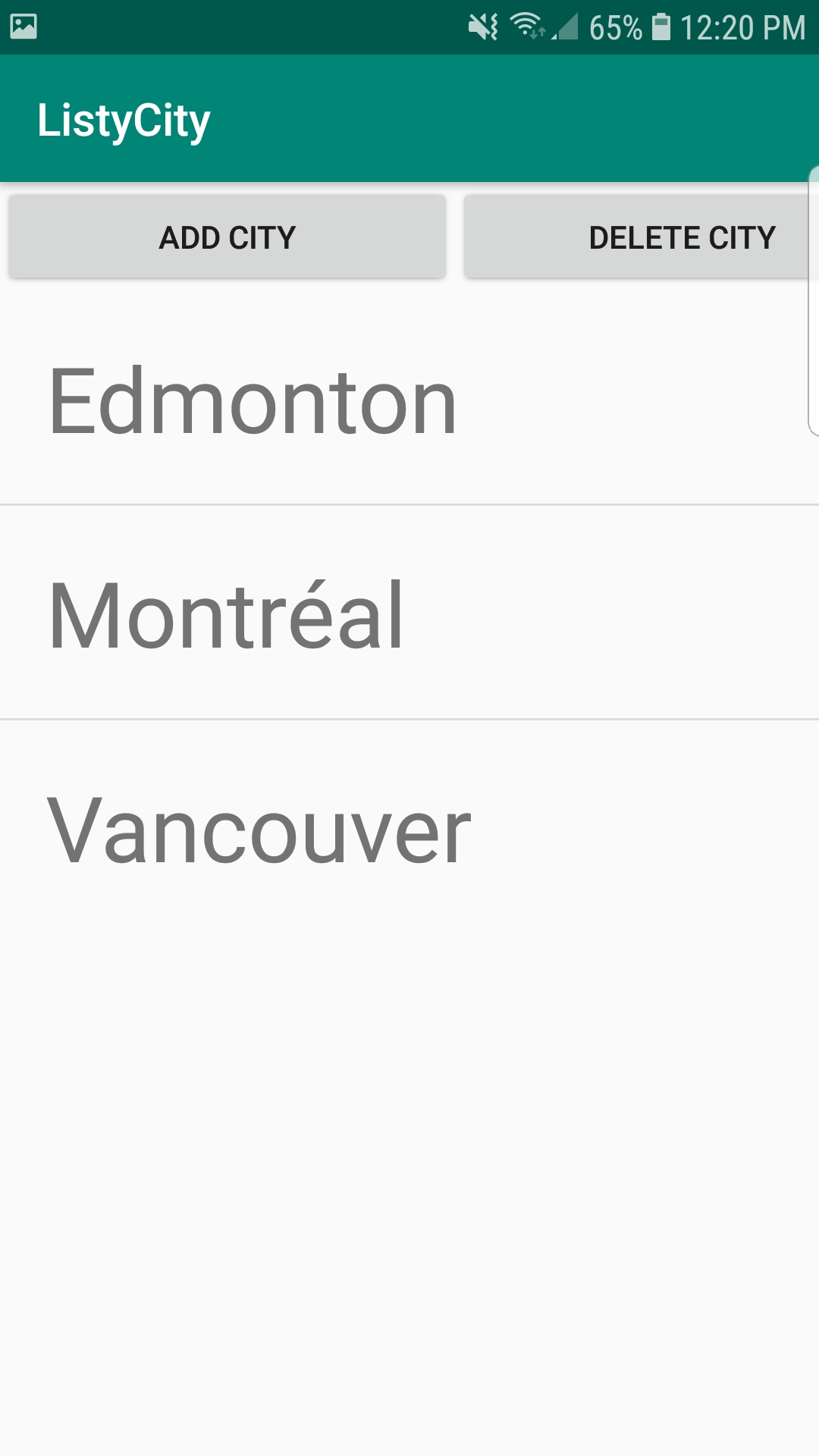
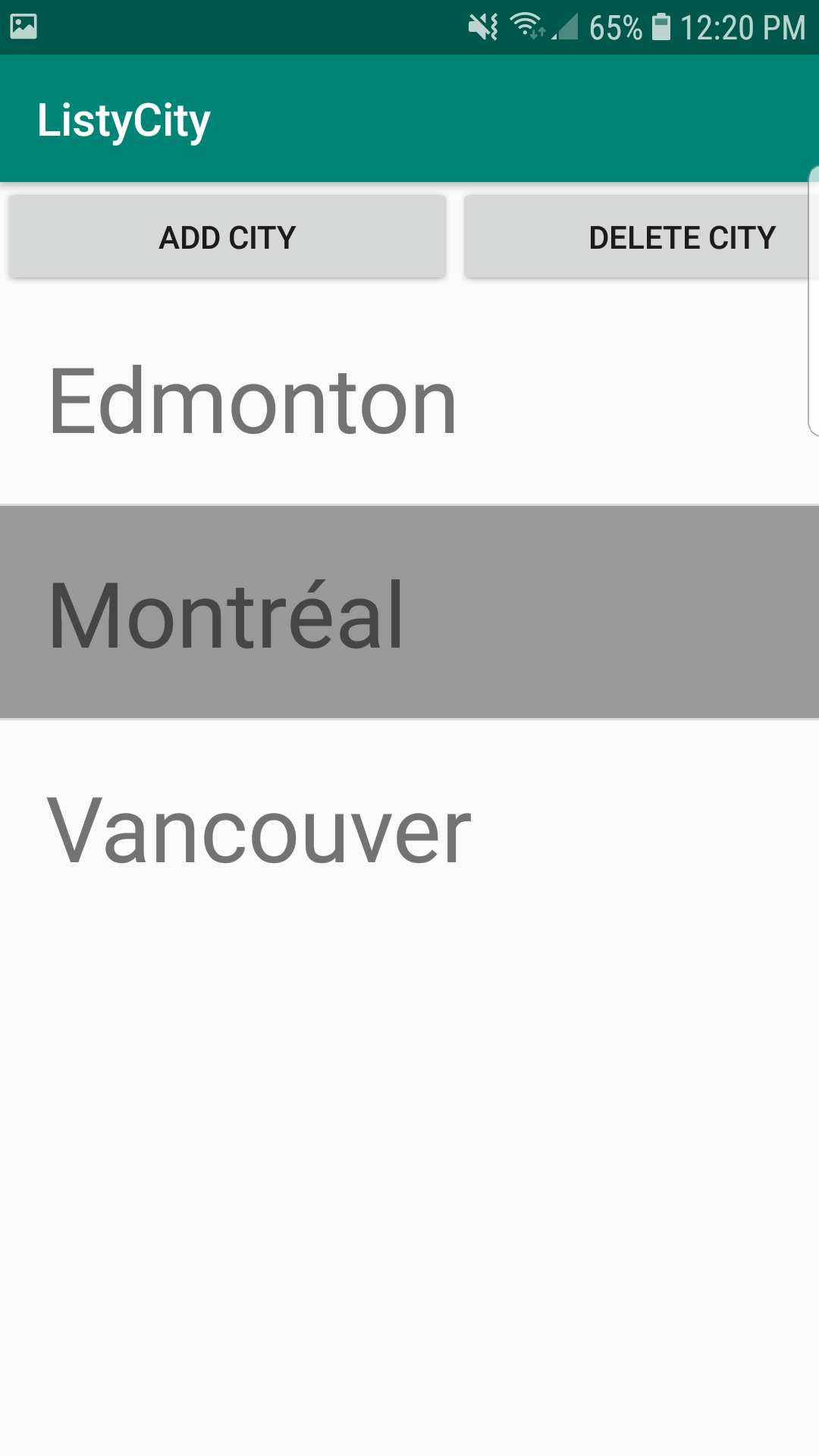
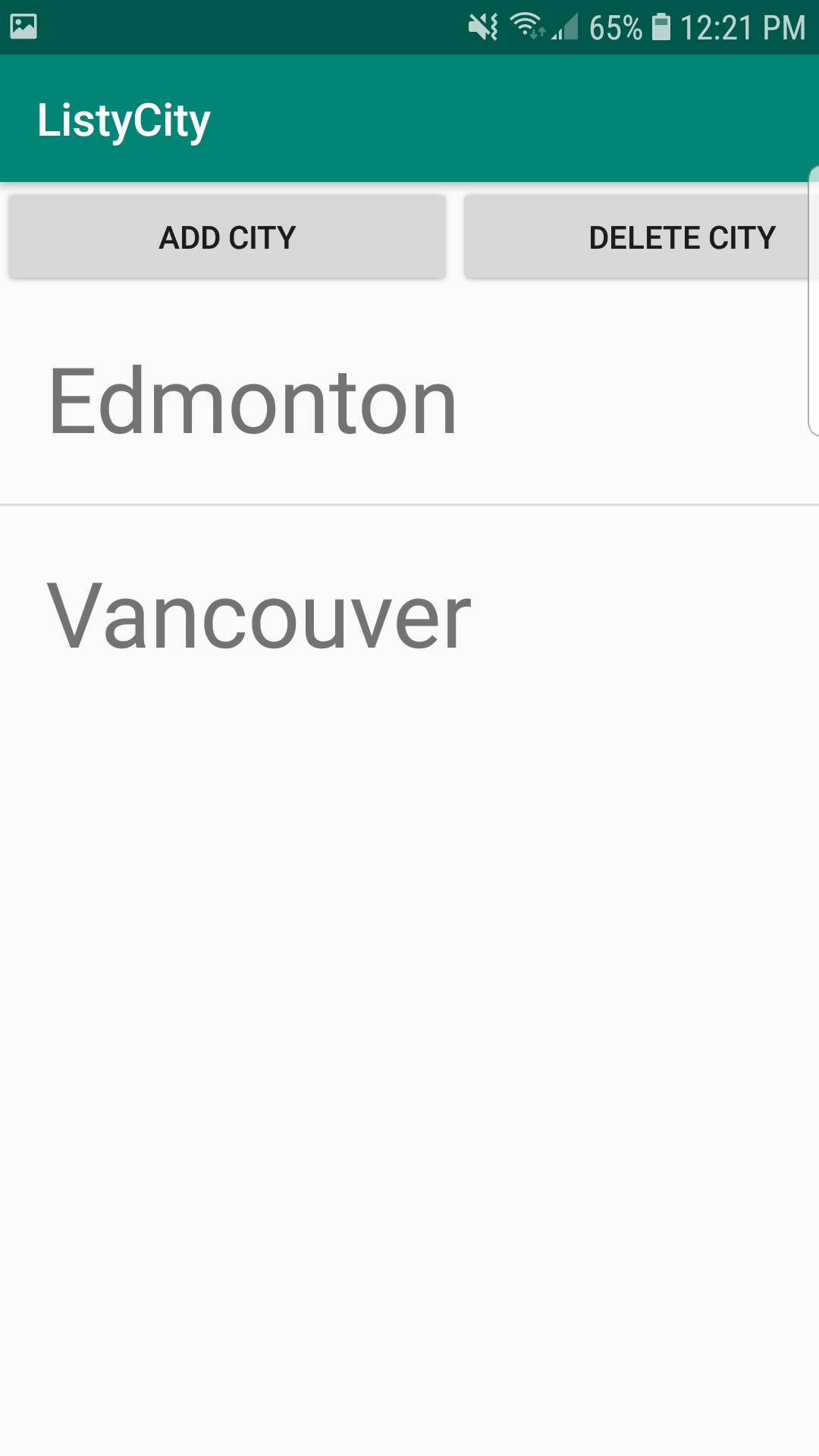
Here are some screenshots from an example application that demonstrate the required functionality.
Your app does not need to look exactly like this demo!!!
-
Press "ADD CITY" then type the name and press "CONFIRM". This adds a new city name to the list
-
Tap a city name to select it then press "DELETE CITY" to remove the city from the list.
Submission
Canvas
Note: Proper completion of this exercise is considered as part of course participation.
Due Date
Friday after the Thursday lab at 5 PM